Code on GitHub · EU-hosted
Odoo MCP server: connect Odoo to your favourite AI app.
Odoo MCP Pro is an Odoo MCP server that connects your Odoo to Claude, ChatGPT, Gemini, Copilot and other AI apps. It works on desktop and mobile. No Odoo module to install, no local server to keep running.
Used by 1,200+ teams, who ran 2.4 million AI actions in Odoo in the past 12 months.
Works with





- teams have connected their Odoo
- 1,200+
- AI actions in Odoo in the past 12 months
- 2.4 million
- releases since June 2025
- 37
Latest release: 3.1.3 on 5 October 2026. Odoo 20 supported since 30 September. Read the changelog →
What customers say
I just want to vouch for Pantalytics. I came across it through Andrew from Odoo It Yourself and I have been doing things with it. It is amazing. Definitely worth it.
I'm currently using your MCP server with two Odoo databases and it's been a real help so far. Thank you for the great work. 🙌🏼
We've been running odoo-mcp-pro against our own Odoo instance for a while, and at this point I'd say it's the cleanest way to bring AI inside Odoo for our clients.
Pantalytics is a nice and easy start. I enjoyed it so far
Our team lives inside Odoo. The Pantalytics MCP server has changed how we work. Pulling open quotes, following up with customers, creating sales orders, straight from chat. Saves us real hours every week.
The MCP is working great! Definitely worth it.
Love love love your tool!
Comparing options
Why not just use Odoo 20's built-in MCP server?
Fair question. If you run Odoo 20 Enterprise and mostly want answers about your numbers, Odoo's own server may be enough. Once the AI has to finish work in Odoo, the differences show. We tested both side by side.
| What you need | Odoo 20 built-in | Odoo MCP Pro |
|---|---|---|
| Confirm a quotation, post an invoice | No. It reads by default. An admin can switch on create and edit, but not buttons. | Yes, buttons and wizards included |
| Odoo versions | Odoo 20 Enterprise, and Odoo Online since saas-19.4 | Odoo 14 to 20, Community and Enterprise, on Online, Odoo.sh and on-prem |
| Several databases | One endpoint per database | Switch databases within one conversation |
| Give the AI fewer rights than the user | No. A key carries the user's full rights. | Yes, roles per key, plus an audit log with the free Governance addon |
Security
Safe by design: the AI stays inside your limits
MCP Pro works through Odoo's own access rights. The hosted server runs in the EU.
Your Odoo access rights
The AI follows the exact same access rights as the connected user. It can only change what that user could change.
You approve each action
Per action you choose Allow, Ask or Deny in your AI app, before the change is made.
MCP Pro Governance, a free addon
Bind each AI key to a limited Odoo role and log every call per key. You see whether it was Claude, n8n or a script, and what it changed.
About MCP Pro Governance →Any AI tool, any device, any Odoo.
MCP Pro always connects your AI tool to your Odoos. v14-20, Community or Enterprise, on Odoo Cloud, Odoo.sh or self-hosted. Always up to date, no installation required.
Any AI tool, any device.
Works alongside Claude, ChatGPT, Gemini, Copilot and Mistral. On phone, laptop, tablet, anywhere your AI tool runs. Switch any time, without redoing your Odoo connection.
MCP Pro translates.
Centrally hosted in Europe. Always up to date, no installation required. Works on Odoo Cloud too, where custom apps cannot.
Works with any Odoo.
Odoo Cloud, Odoo.sh or self-hosted. v14-20. Community or Enterprise. Your API key and access rights apply, AI only sees what you can see.
Work faster in Odoo, keep oversight, and keep everything tidy.
Ask, execute, and everything stays recorded within your Odoo access rights. No Excel on the side. No workarounds behind the scenes.
For your sales team
- Which 5 open opportunities over €50k have had no activity in the last 14 days?
- Create a follow-up task for every deal in 'Proposal' older than 7 days.
- Summarise the last 3 emails with Acme Corp and post them as a note on the deal.
- I have a meeting with a prospect later. Pull all info from Odoo, enrich with what's online on LinkedIn, and prepare talking points.
For manufacturing
- Give me an update on product X. Sales last month, production status, open orders and lead times.
- Which production orders risk missing their delivery date in the next 7 days?
For founders and management
- I'm working on 3 projects, help me prioritise my week. Update project descriptions where needed.
- Use the CFO skill: review our Odoo, enrich with website traffic. Build a dashboard in our brand style with recommendations for next quarter, what went well, what should improve, backed by financial and sales data.
For IT and techies
- Find duplicate customers in our database and list them for merging, match on email or phone.
- Which users haven't logged in for 30 days? Deactivate them in bulk.
One page can't capture everything. With 16 pre-built role skills you can equip your whole team in minutes.
Setup in 6 steps
From first login to your first question. No installation, no local server.
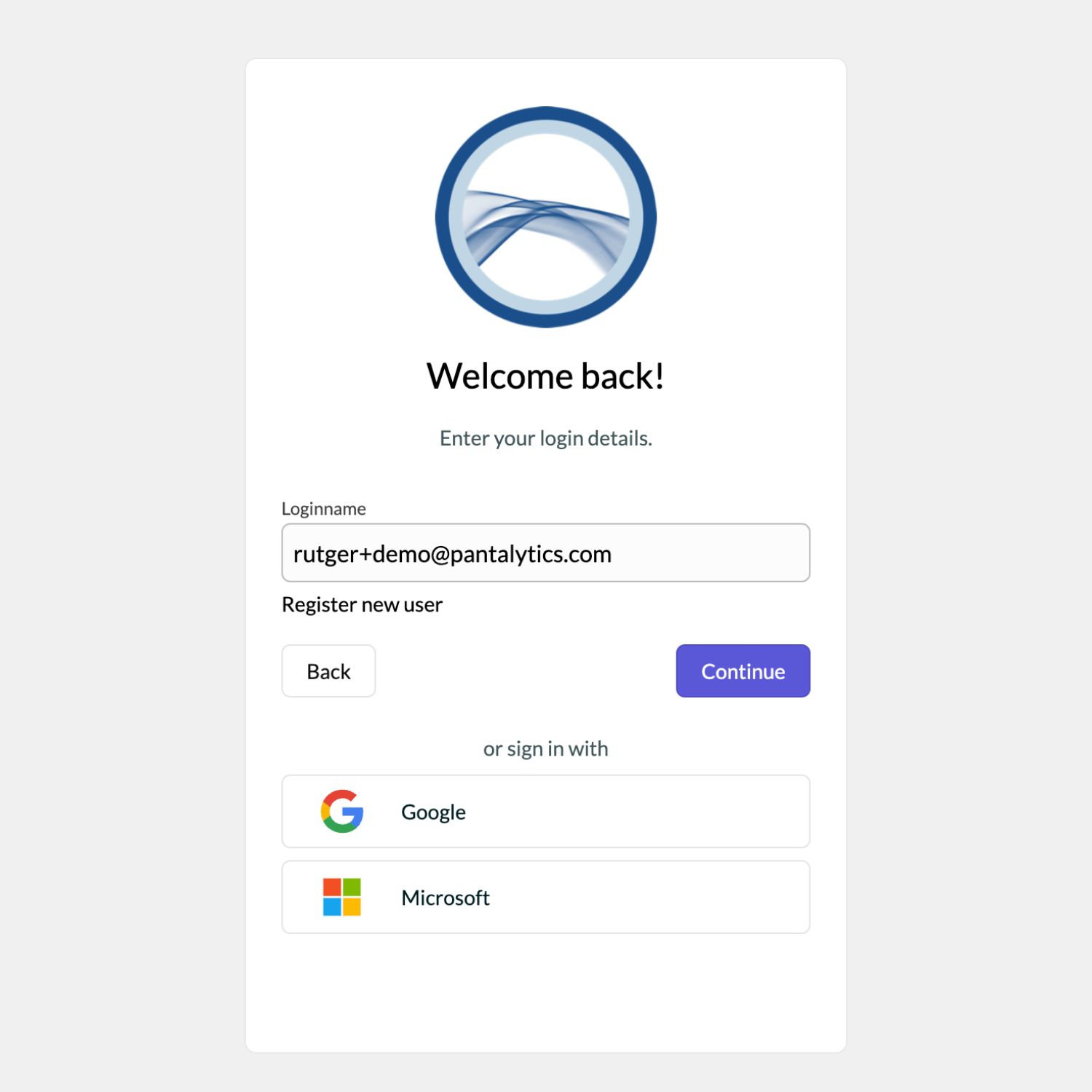
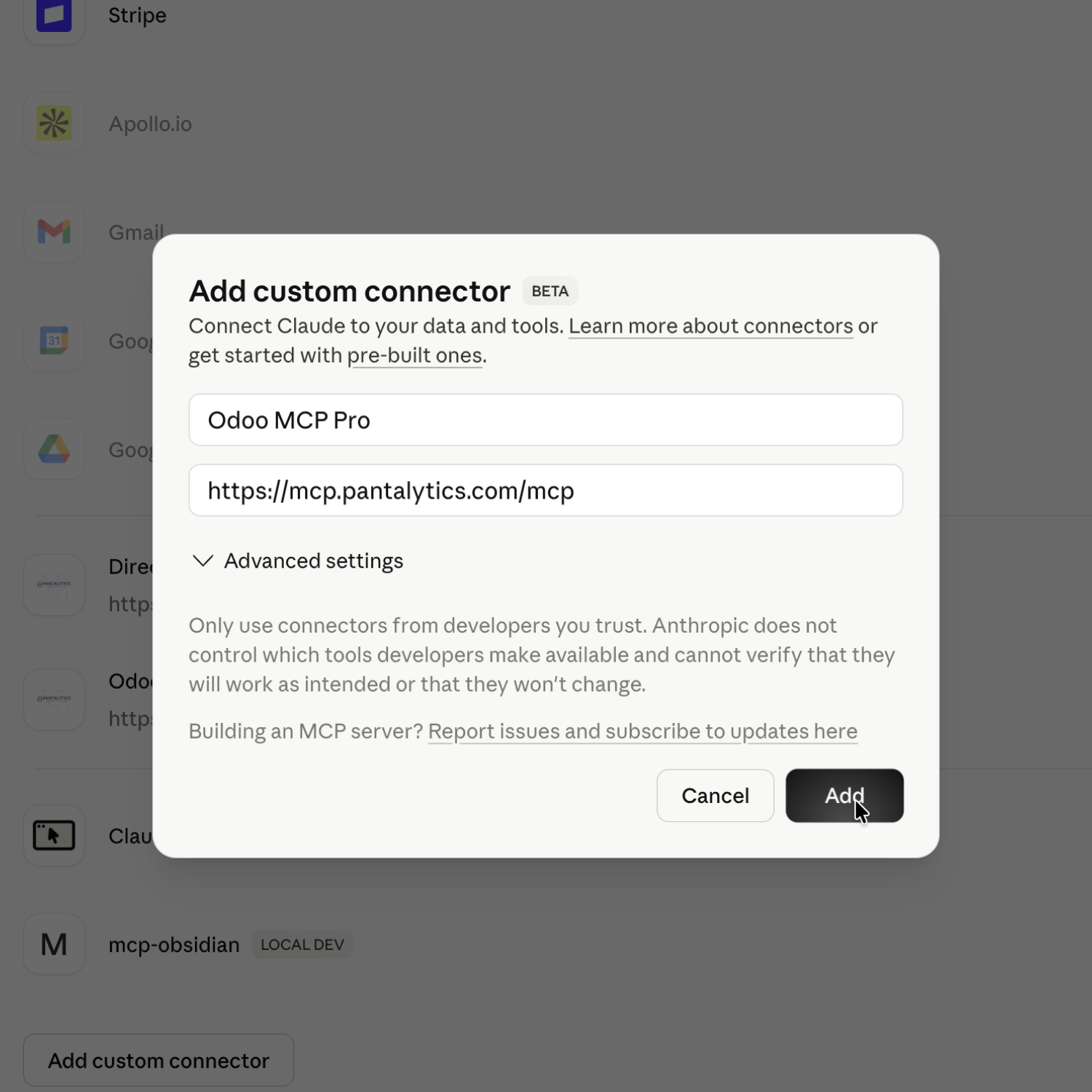
Sign in with Google or Microsoft. No separate registration required.
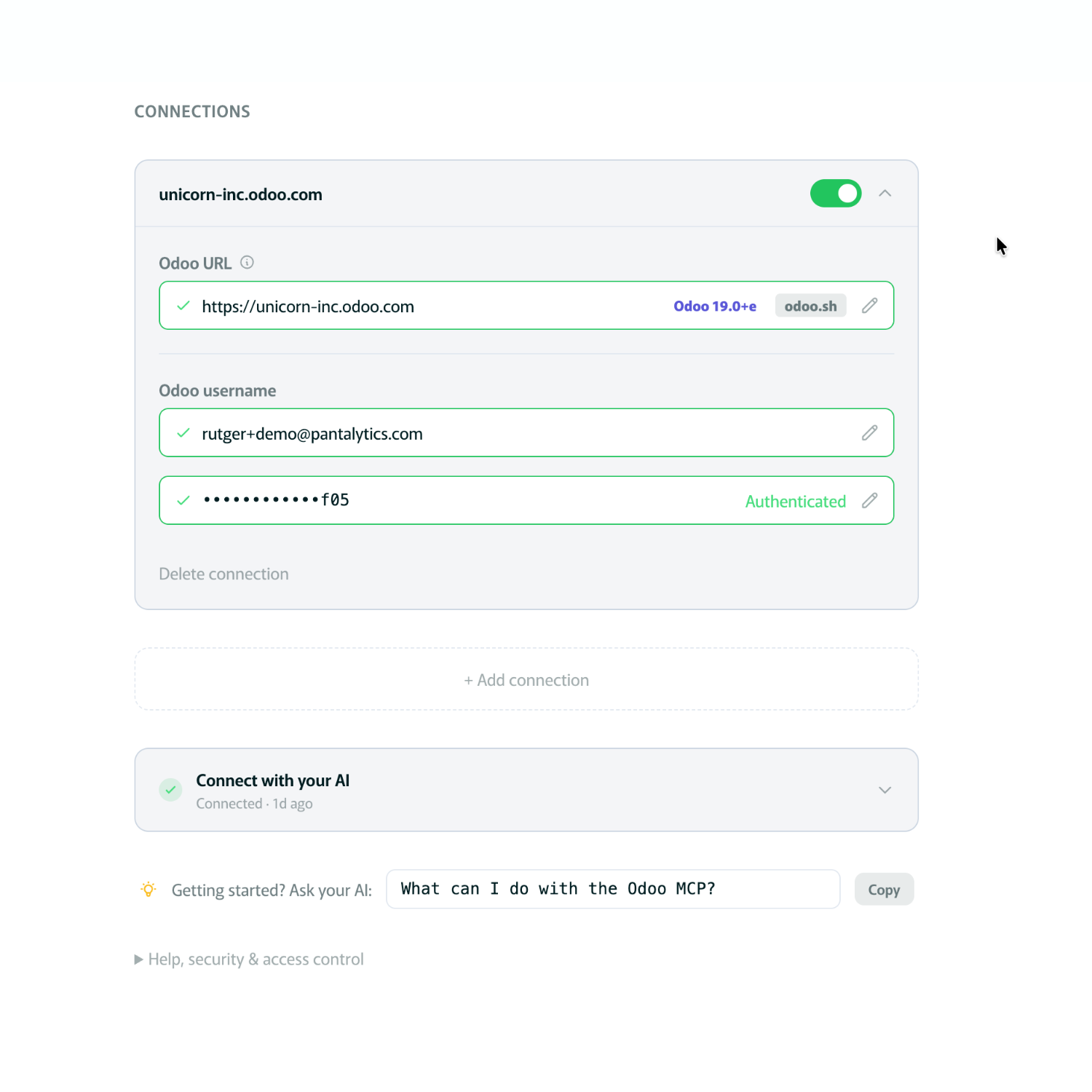
Paste your Odoo URL and API key. We validate the connection.
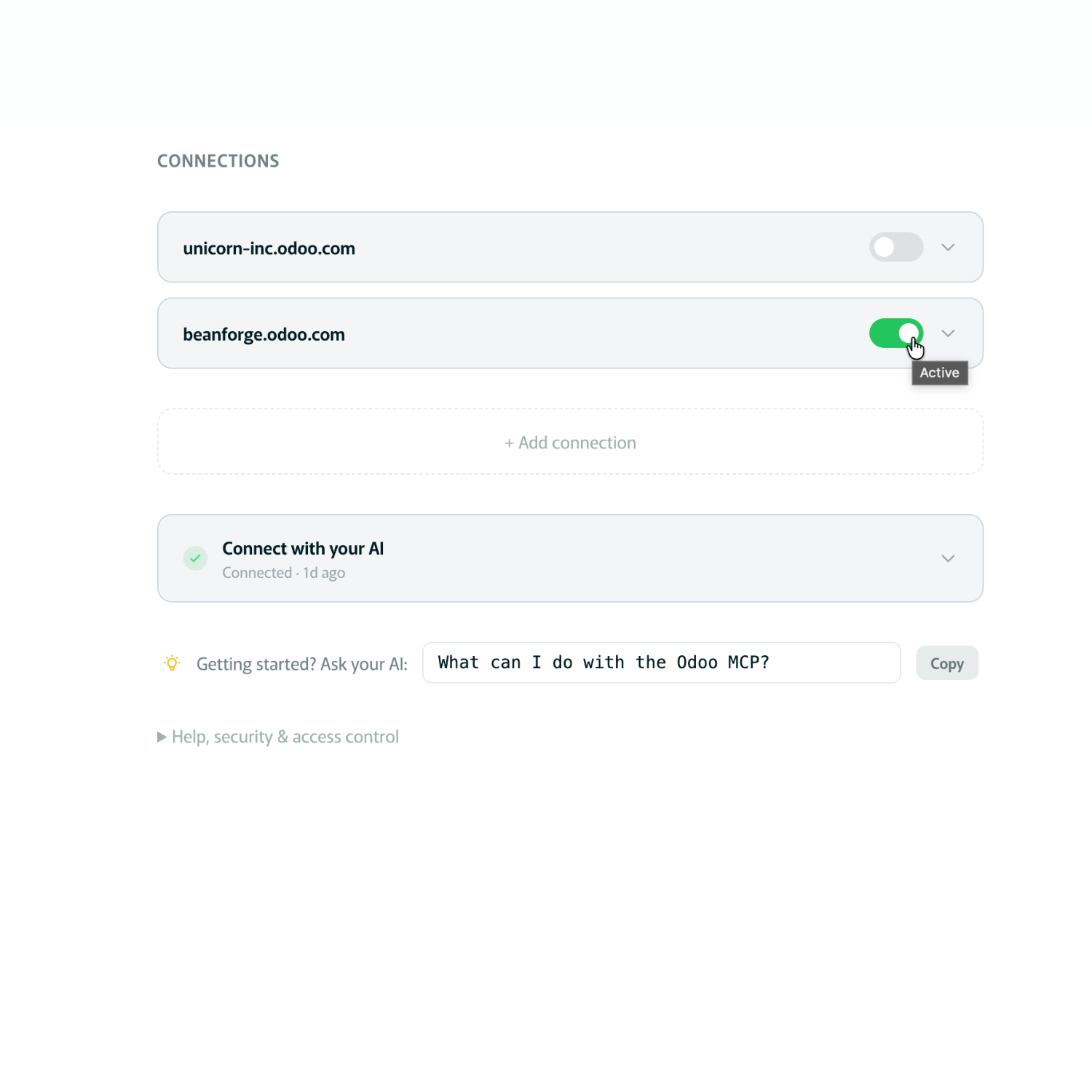
Production, staging or multi-entity. Switch with one click from your dashboard.
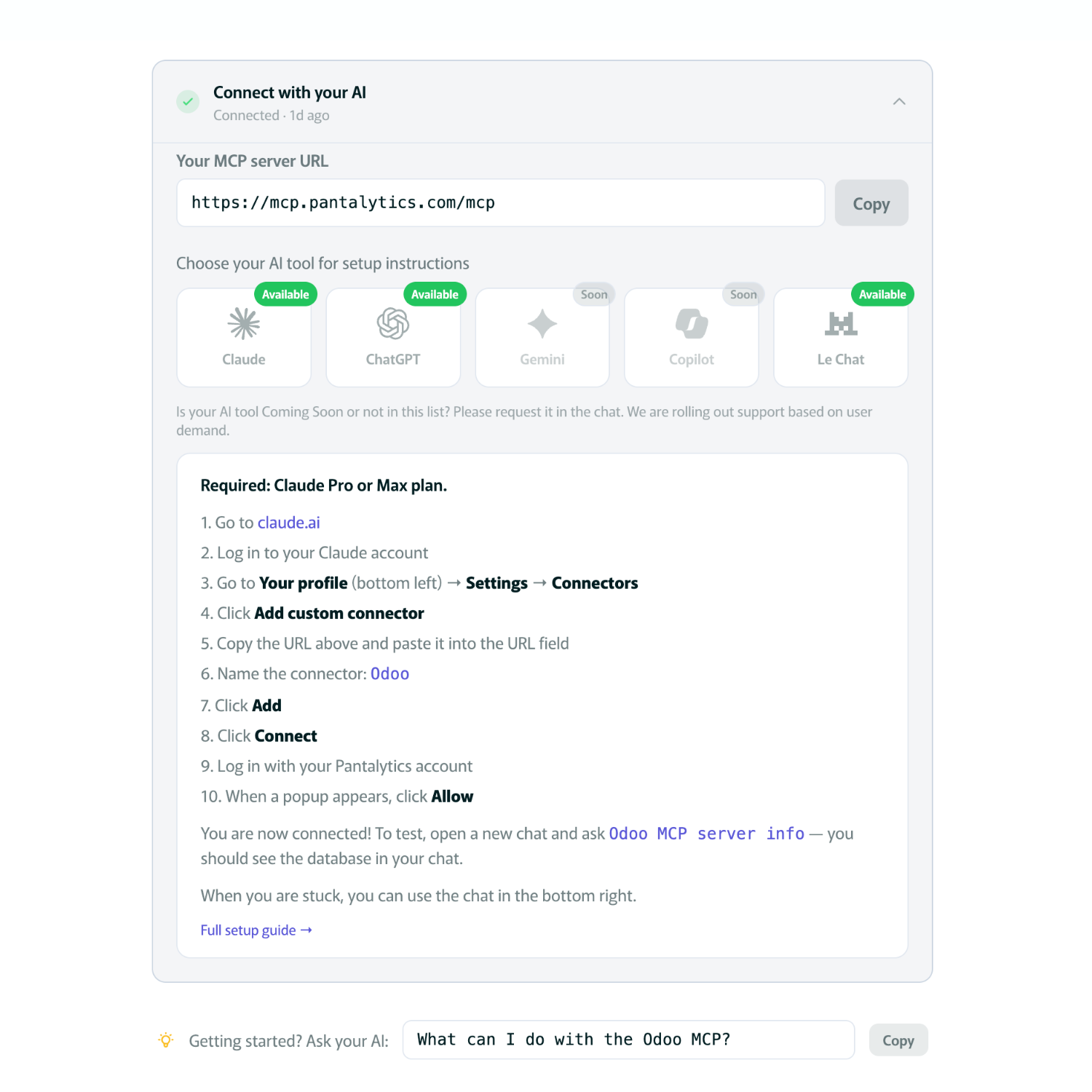
Setup steps for Claude, ChatGPT, Gemini, Copilot or Mistral.
One URL, done. No extensions, no plugins.
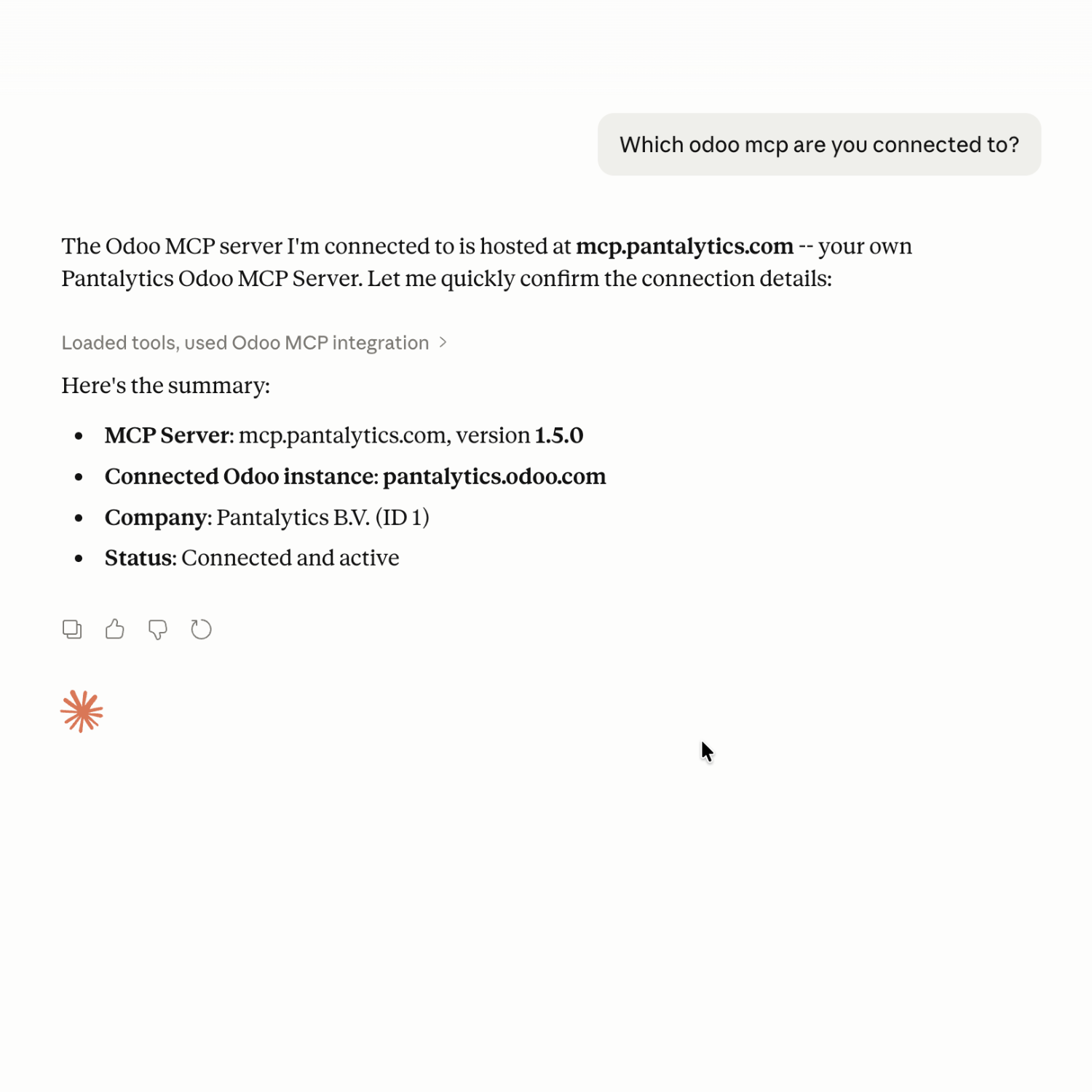
Your AI now talks to your Odoo, within your access rights.
- 01
Register
Sign in with Google or Microsoft. No separate registration required.
- 02
Connect your Odoo
Paste your Odoo URL and API key. We validate the connection.
- 03
Manage multiple Odoos
Production, staging or multi-entity. Switch with one click from your dashboard.
- 04
Choose your AI tool
Setup steps for Claude, ChatGPT, Gemini, Copilot or Mistral.
- 05
Add the connector
One URL, done. No extensions, no plugins.
- 06
Ask your first question
Your AI now talks to your Odoo, within your access rights.
Full tech specs for IT and developers
Host it yourself. Or let us. You choose.
The code of our MCP server is on GitHub. Host it yourself, or let us run it for you. Both run on exactly the same code.
Self-host (free)
Code on GitHub under the Elastic License 2.0. Audit it, change it, run it yourself. Works without Pantalytics. Community support.
Hosted by Pantalytics
We handle updates, EU infrastructure, multi-tenant teams, SSO and monitoring. Starts free.
No lock-in
Ever leave us? Your MCP server keeps running on your own server. Your data stays yours.
Pricing
Unlimited Odoo databases · Teams + SSO · 16 pre-built skills · 3-layer permissions · Works with any AI tool
Enterprise
Co-build AI governance that fits your needs.
For organisations with strict compliance requirements around AI actions on Odoo. Scoped roles per key and an audit log of every AI call are available today in the free MCP Pro Governance addon. Custom intent rules and governance dashboards we build with our first enterprise partners.
Explore AI governance →Not sure which plan? Start on Free and upgrade once you need more than 50 calls a day.
Connect your Odoo for freeAI apps
Works with your AI app
Add the hosted server by its URL and sign in with OAuth. Or self-host it and run it locally.
-
Claude
Web, desktop and mobile. Add it as a custom connector on the web or desktop and it works on your phone too. The free plan allows one custom connector.
Setup guide → -
Claude Code
Remote MCP server with OAuth, or local over stdio.
Setup guide → -
ChatGPT
Custom app in developer mode. Only on Business, Enterprise and Edu plans.
Setup guide → -
OpenAI Codex
CLI and IDE extension. Server URL with OAuth sign-in, or a local stdio server.
-
Microsoft Copilot
Add it as a tool to a Copilot Studio agent, then publish that agent to Microsoft 365 Copilot or Teams.
Setup guide → -
Gemini
Add it as a custom app in the Gemini web app, or use Gemini CLI.
Setup guide → -
Mistral Le Chat
Custom MCP connector. A workspace admin adds it.
Setup guide → -
Grok
Custom connector at grok.com/connectors.
-
Cursor
MCP server URL with OAuth sign-in, or a local stdio server.
-
Windsurf
Add it to Cascade as a remote server with OAuth, or run it locally.
-
VS Code
In GitHub Copilot agent mode, as a remote server or a local one.
-
Zed
Remote server with the standard MCP OAuth flow, or a local command.
-
n8n
MCP Client Tool node with the HTTP Streamable transport and OAuth2.
Setup guide →
Any other app that supports MCP works too.
Frequently asked questions
Odoo 20 has a built-in MCP server. Do I still need this one?
That depends on what you want the AI to do. Odoo's own server is Enterprise only (Odoo 20, and Odoo Online since saas-19.4). Out of the box it only reads. An administrator can switch on create and edit, but it can't press Odoo's buttons: in our test it couldn't confirm a quotation, post an invoice or delete a record. If you're on Odoo 20 Enterprise and mostly want answers about your numbers, it may be enough. Odoo MCP Pro also runs on Community and on Odoo 14 to 19, handles buttons and wizards, and can work across several databases in one conversation. We tested both side by side in Odoo 20 MCP: what it can and cannot do.
Is there a free plan?
Yes. The hosted Free plan gives you 50 calls a day from Claude, ChatGPT or any other MCP client. Need more? Pro is €25 per user per month for 500 calls a day, with a 30-day trial. You can also self-host the code from GitHub for free. To see how the free options for Odoo compare, read our Odoo MCP server comparison.
Does it work on Odoo Online without installing a module?
Yes. Our MCP server runs outside your Odoo and talks to it through Odoo's external API, so nothing gets installed on your side. That's why it works on Odoo Online, where custom modules aren't allowed, and just as well on Odoo.sh and on-prem. Odoo 14 to 20, Community and Enterprise.
Which AI apps work with it?
Claude, ChatGPT, Microsoft Copilot, Gemini and Mistral, and developer tools like Cursor and Windsurf. Any app that speaks MCP can connect. You add one connector URL and you're done. Step-by-step guides: Claude and Odoo and ChatGPT and Odoo.
Is it open source? Can I audit the code?
The full code is on GitHub under the Elastic License 2.0. You can read it, audit it, change it and run it on your own server for free. What the license doesn't allow is offering it to others as a hosted service. Our hosted version runs the same code. Want a log of every AI call as well? Add the free MCP Pro Governance addon.
What access does AI have to my Odoo database?
AI follows the exact same access rights as the connected user. Per call you choose Allow / Ask / Deny in your AI tool.
How is my company data used?
Pantalytics does not use your data to train AI models and does not sell it. The hosted MCP server runs in the EU (Hetzner); self-host it and nothing passes through us at all. What happens to the data your AI tool reads depends on that provider (Anthropic, OpenAI, Google, …), exactly as when you use it directly.
What if AI hallucinates and changes my data?
AI can make mistakes, that's true for any AI usage. That's why we build in three safety layers:
- The AI follows your Odoo access rights, can only modify what you yourself could modify
- Per action you choose in your AI tool whether to Allow, Ask or Deny before the change is made
- Our MCP server gives the AI model explicit instructions to be more careful with update and delete actions than with read actions
As with any AI usage, it stays wise to verify what the AI does, especially for bulk actions.
What's the difference between self-host and hosted?
Both run on exactly the same code, but:
Self-host (free). You download the code from GitHub, run it on your own infrastructure and manage updates yourself. Community support via GitHub issues. For those who want full control.
Hosted by Pantalytics. We run it for you in Europe (Hetzner). Updates, monitoring, multi-tenant teams and SSO via Zitadel are included. Starts free.
You can switch between the two at any time. The codebase is identical.
What if I hit my daily call limit?
Further calls are blocked until the counter resets at 12:00 UTC the next day. Don't want to wait? Upgrade at any time via your Stripe Customer Portal. Cancel monthly.
How do I cancel?
Plan management goes through your Stripe Customer Portal. From your Pantalytics account click "Manage plan" to cancel, upgrade or downgrade. Cancel monthly, no long-term contract. You keep access until the end of the current billing period.
Do you have an MCP server for email and calendar too?
Yes. Squirrel is our email and calendar MCP server: it connects your AI to your own mailbox, calendar and contacts over IMAP, CalDAV and CardDAV, and it writes as well as reads. Same open core setup as this one, and free while it's in beta.
Is there an audit log of what the AI did in Odoo?
Yes. The free MCP Pro Governance addon (open source, on the Odoo App Store) binds each AI key to a limited Odoo role and logs every call per key, so you see whether it was Claude, n8n or a script, and what it changed.
What does Odoo MCP Pro cost?
Self-hosting is free. Hosted: Free (50 calls a day), Pro €25 per user per month (500 calls a day, 30-day trial) and Max €100 per user per month (10,000 calls a day), excl. VAT. Billed monthly, cancel monthly, no refunds for part of a month. After you cancel, account data is kept 30 days for export and then deleted.
MCP Pro is part of Self-learning Odoo
With Self-learning Odoo we host your Odoo in Europe, and our AI guides the implementation through MCP Pro. After go-live it keeps looking for things to improve.
More about Self-learning Odoo →Try it on your own Odoo.
Join 1,200+ teams. Setup takes 5 minutes and works on Odoo Online, Odoo.sh and on-prem (v14-20).