AI Governance
Decide what AI can do in your Odoo
A limited role per key, and a log of every call.
By default, an AI connected to Odoo can do everything its user can. This free addon binds each key to a role you choose and logs every call it makes.
Or install the addon from the Odoo App Store
New to AI governance? Read the AI in ERP white paper
The concern
By default, AI gets the keys to everything
An Odoo API key carries every permission of the user it belongs to. For an AI integration, that means three problems.
Full access
The key can do anything its owner can: read sales orders, delete contacts, post to the accounting journals.
No trail
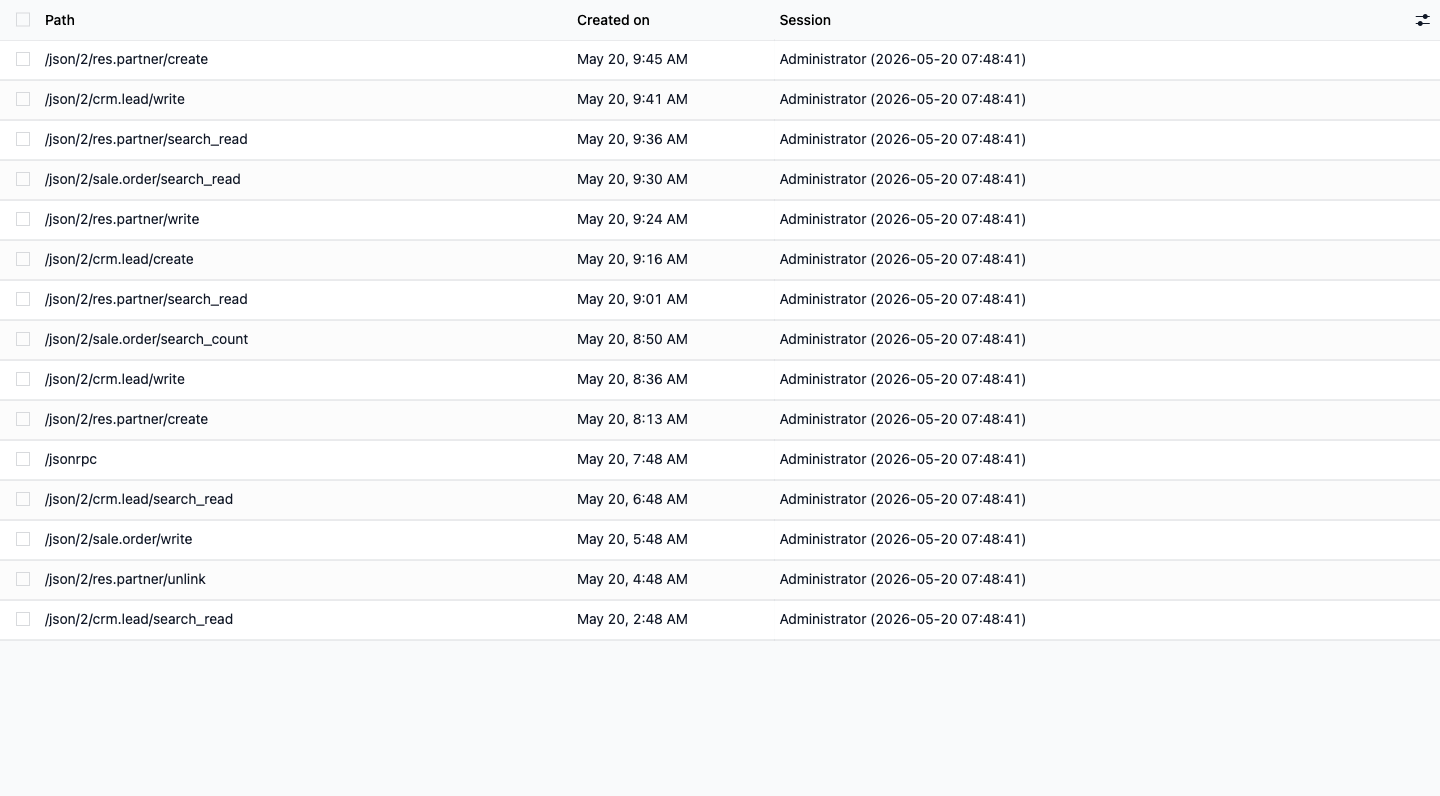
Odoo doesn't record which call changed what. Afterwards you can't tell what the AI touched.
Hard to revoke
The key is shared with people and other tools, so pulling it breaks more than the one integration.
Inside your Odoo
A key per use case, each with its own scope
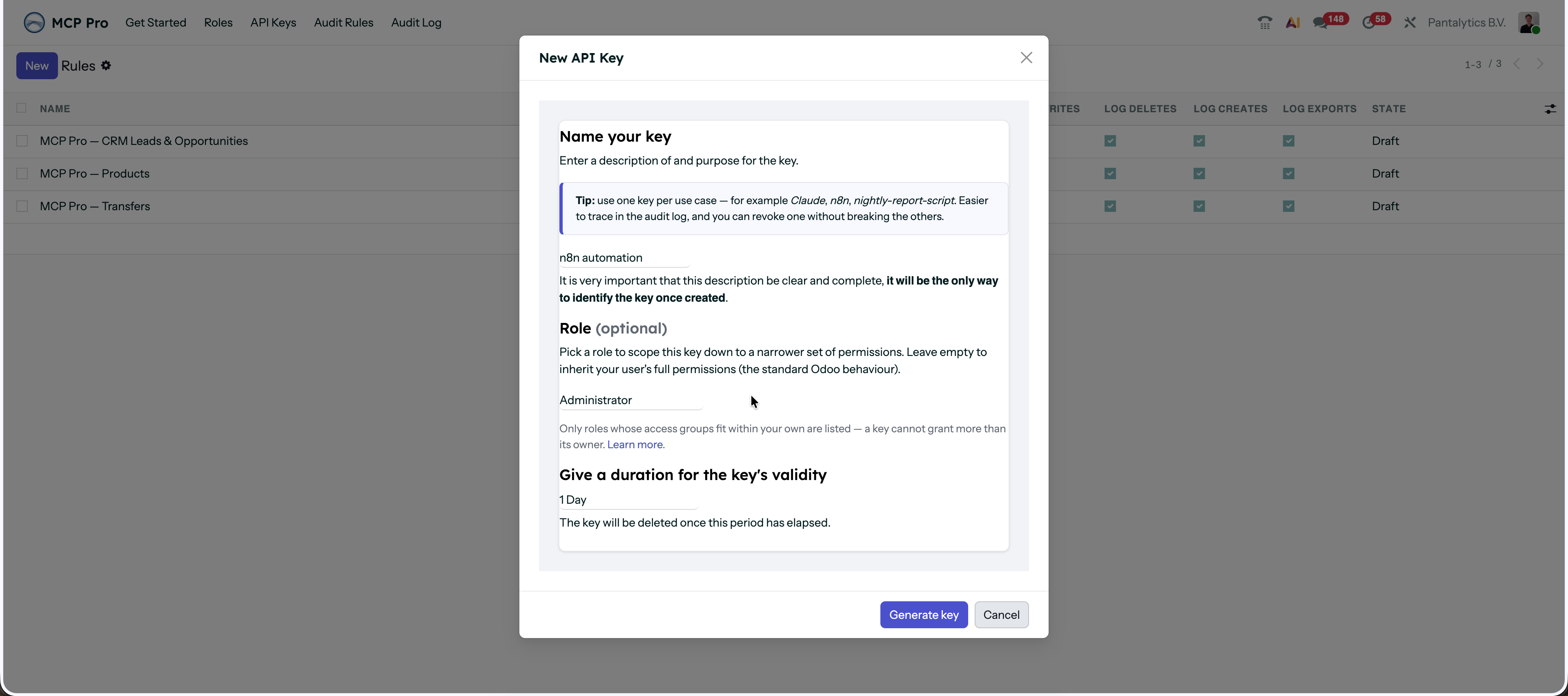
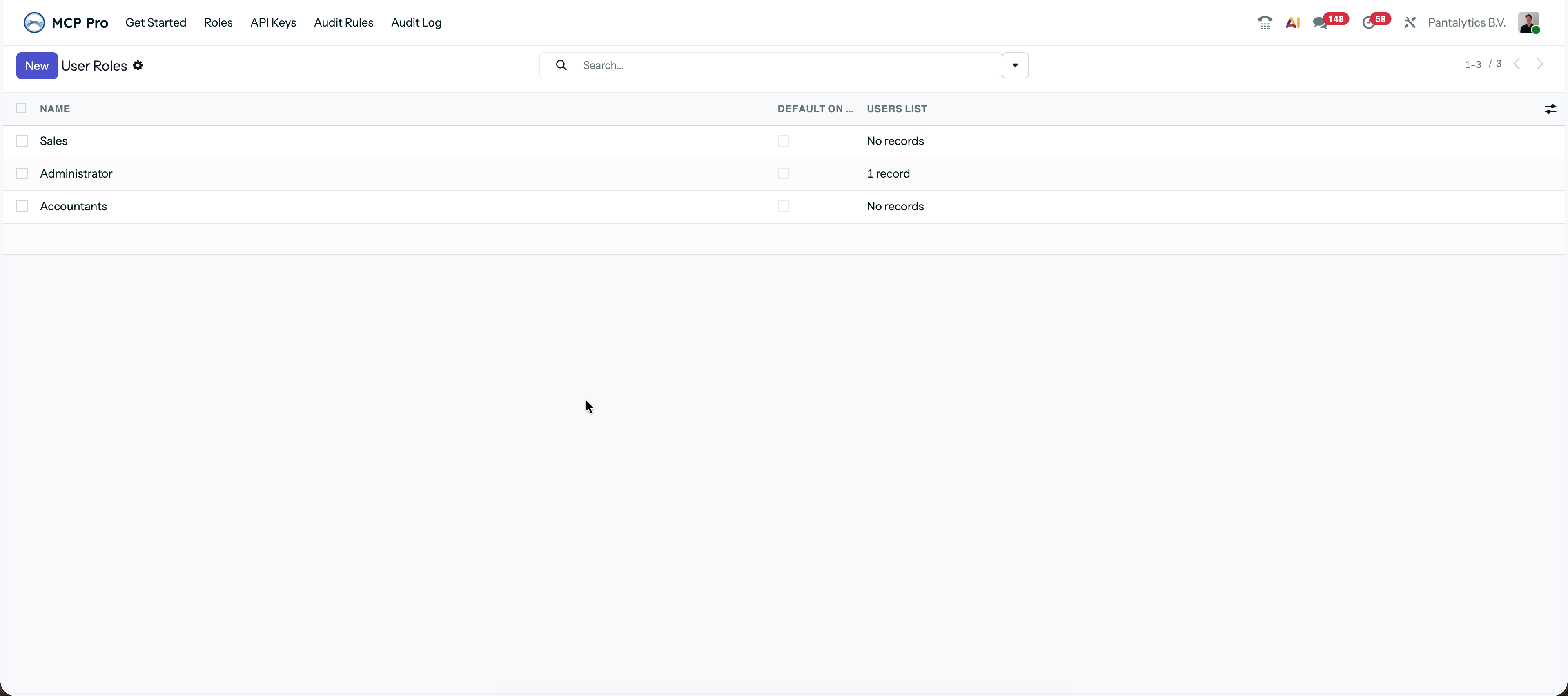
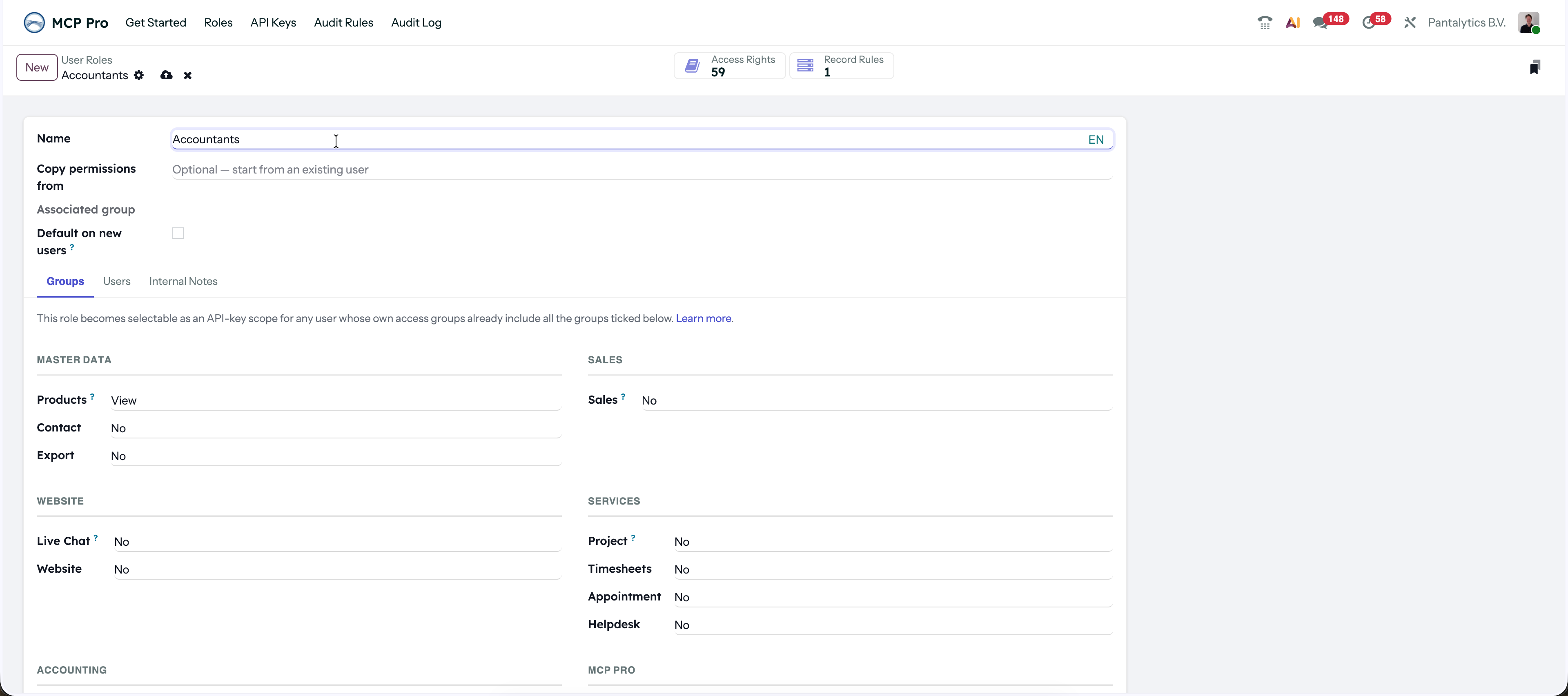
Give each integration its own key: your n8n automation, your Claude connection over MCP, a cron job, all separate from how you log in yourself. Each key gets a role, and the audit log shows which one did what. It runs on Odoo's own roles and access groups, so there's no parallel permission system to maintain.
How it fits
A companion to MCP Pro, not a replacement
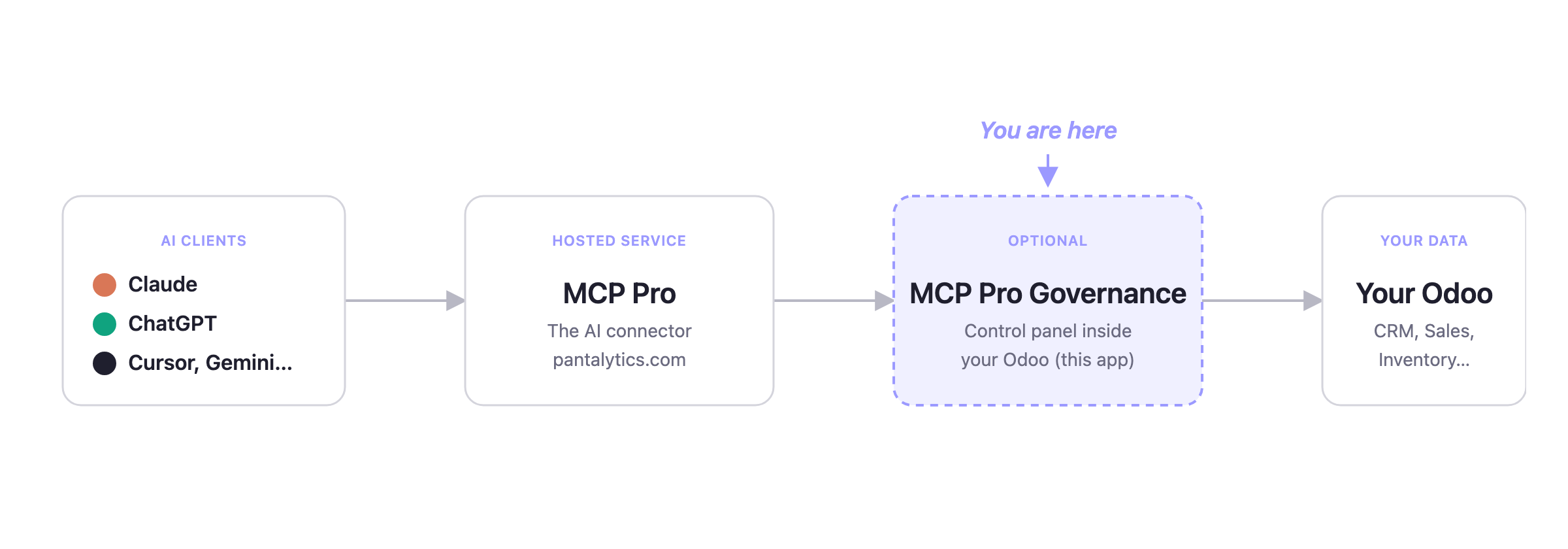
This addon runs inside your Odoo. The MCP server that connects AI to it is our separate hosted product, running outside Odoo.
You can use either on its own. The addon governs any API integration, not just AI.
Discover Odoo MCP Pro →- Works with Odoo 17, 18 and 19, Community and Enterprise
- Built on OCA base_user_role and auditlog
- No data leaves your Odoo. No telemetry.
From MCP Pro users
Teams already running AI on their Odoo
Our team lives inside Odoo. The Pantalytics MCP server has changed how we work. Pulling open quotes, following up with customers, creating sales orders, straight from chat. Saves us real hours every week.
The MCP is working great! Definitely worth it.
Love love love your tool!
Growing team?
More than 10 users? We'll set it up with you
Past ten people, with AI on real orders, invoices and customer data, the roles and audit rules get more involved. We'll help you match them to how your team works.
Talk to usTechnical details
Set it up in a few minutes
Start with MCP Pro, or install just the addon. Both are free to start. More than ten users, or want a hand? Talk to us.
Frequently asked questions
Is this an MCP server?
Does it really cost nothing?
Do I need extra paid Odoo users for each integration?
Does it work with tools other than Claude or ChatGPT?
Will it affect normal users clicking through Odoo?
Can I install it on Odoo Online?
New to AI governance?
Our white paper explains what AI governance in Odoo means, and why it matters as you let AI do more.
Read the AI in ERP white paper