AI connector for mail, calendar and contacts
The AI connector for everyone who is not on Google or Microsoft.
AI assistants plug into Gmail and Outlook just fine, but not into your own IMAP mailbox, CalDAV calendar or CardDAV address book. Squirrel connects Claude, ChatGPT or any other MCP client to exactly those accounts. Reading and writing, and every write asks you first.
-
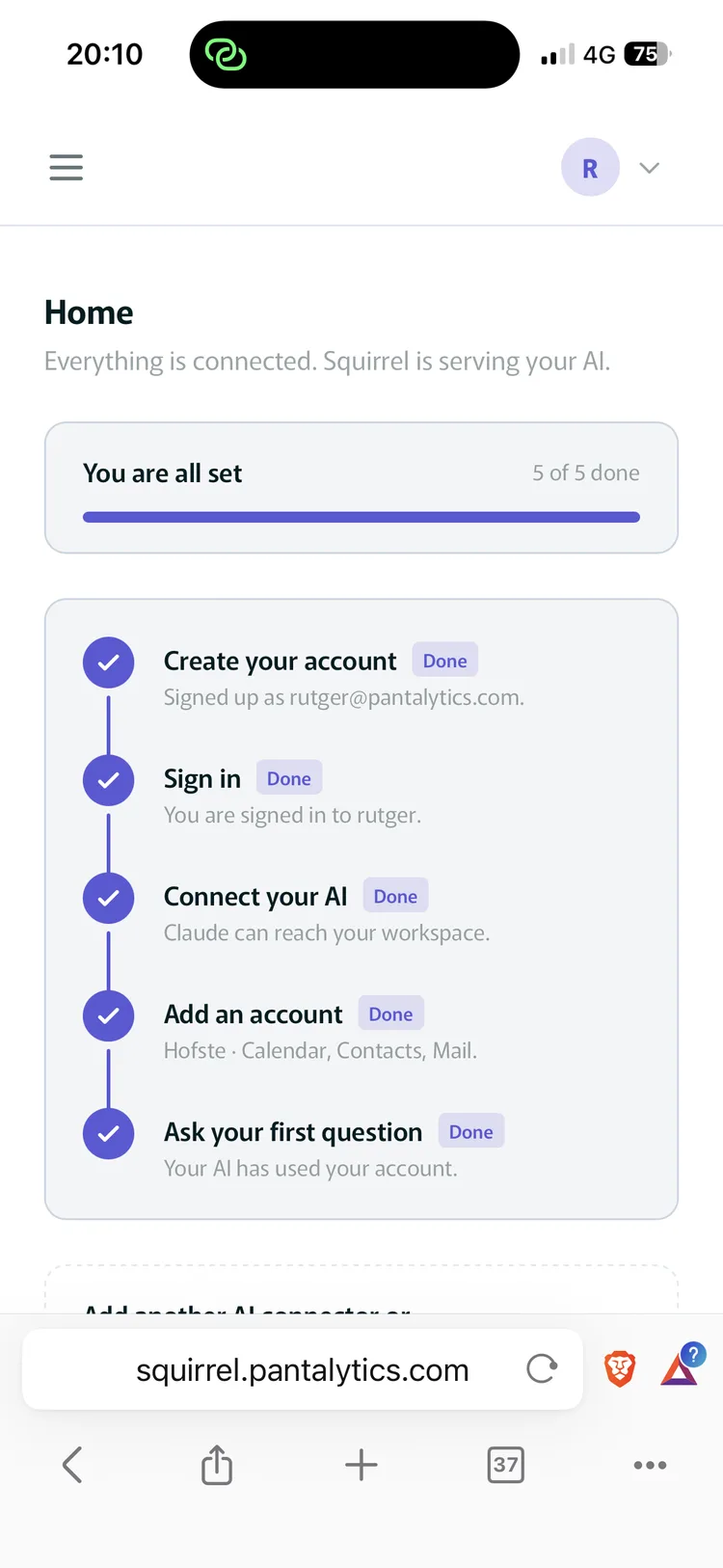
Guided setup Five steps from signing up to your first question. The checklist tracks where you are. -
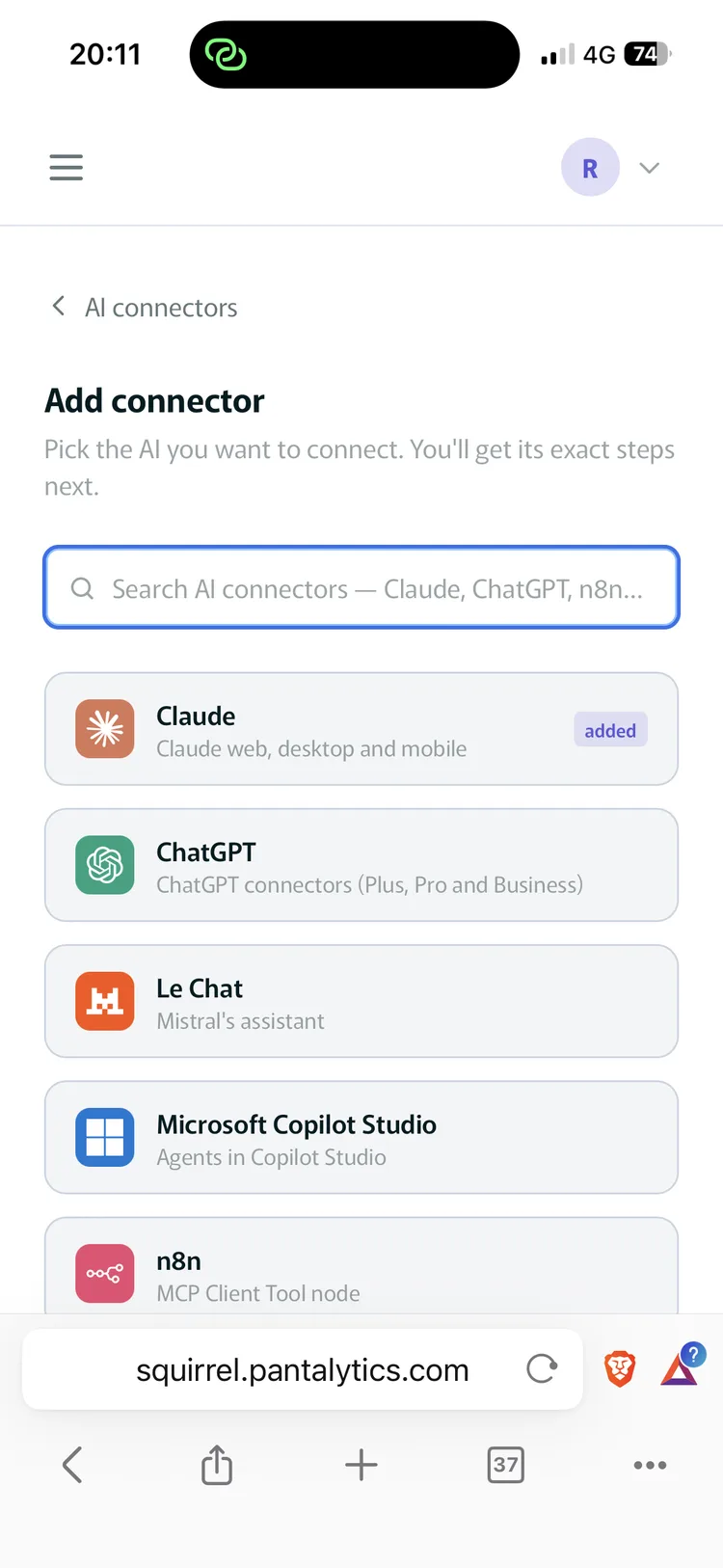
Pick your AI Claude, ChatGPT, Le Chat, Copilot Studio or n8n, each with its exact connection steps. -
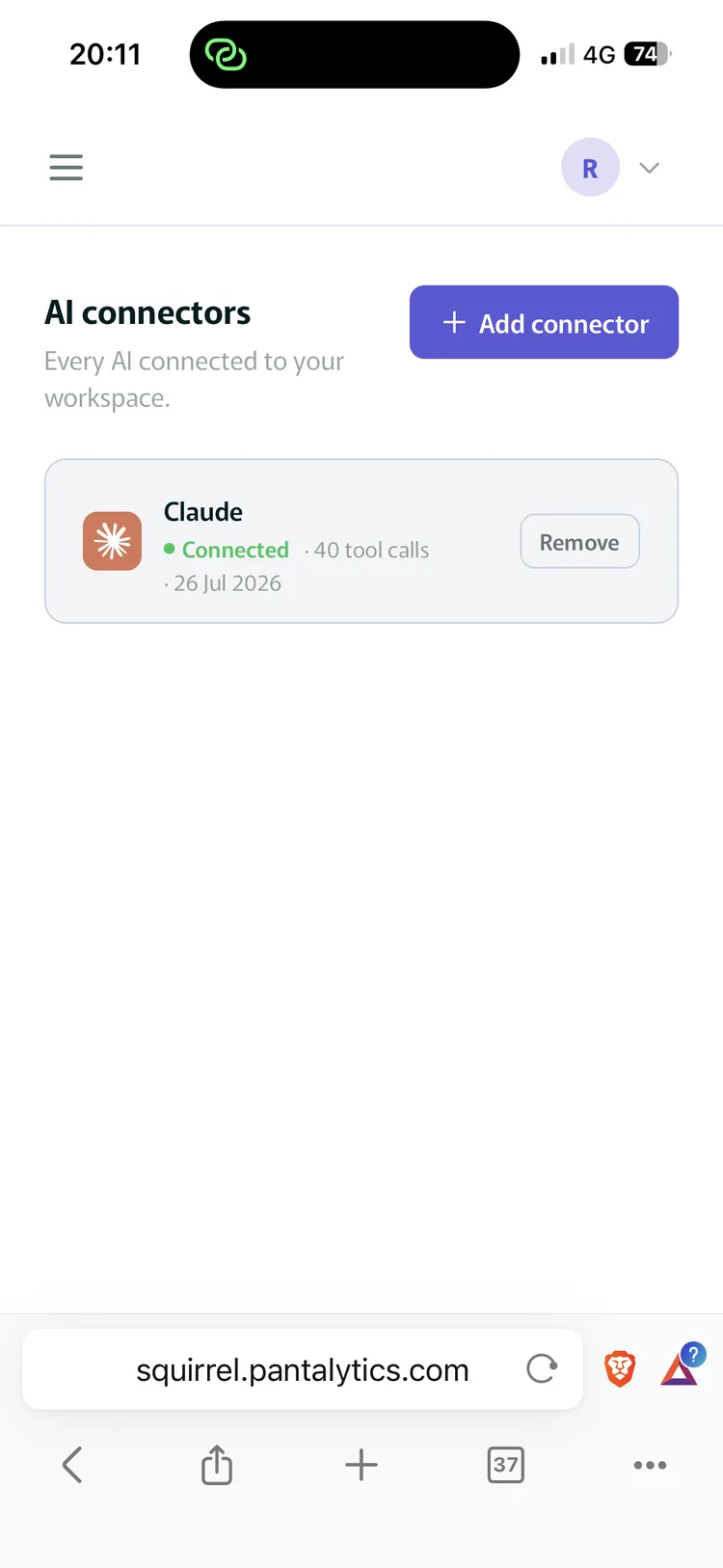
Connected Your AI shows up as a connector, including how many tool calls it has made. -
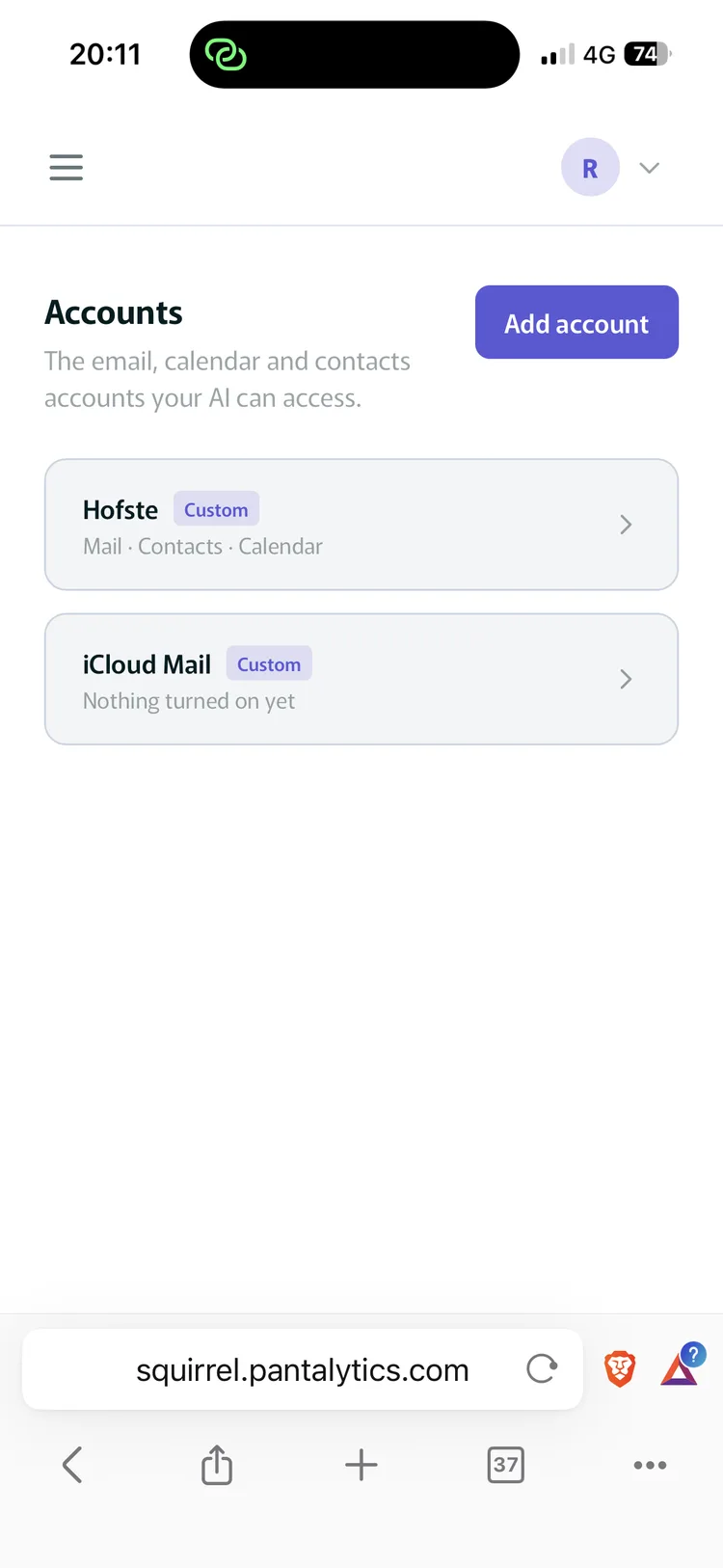
Add accounts Every mail, contacts and calendar account your AI can reach, in one list. -
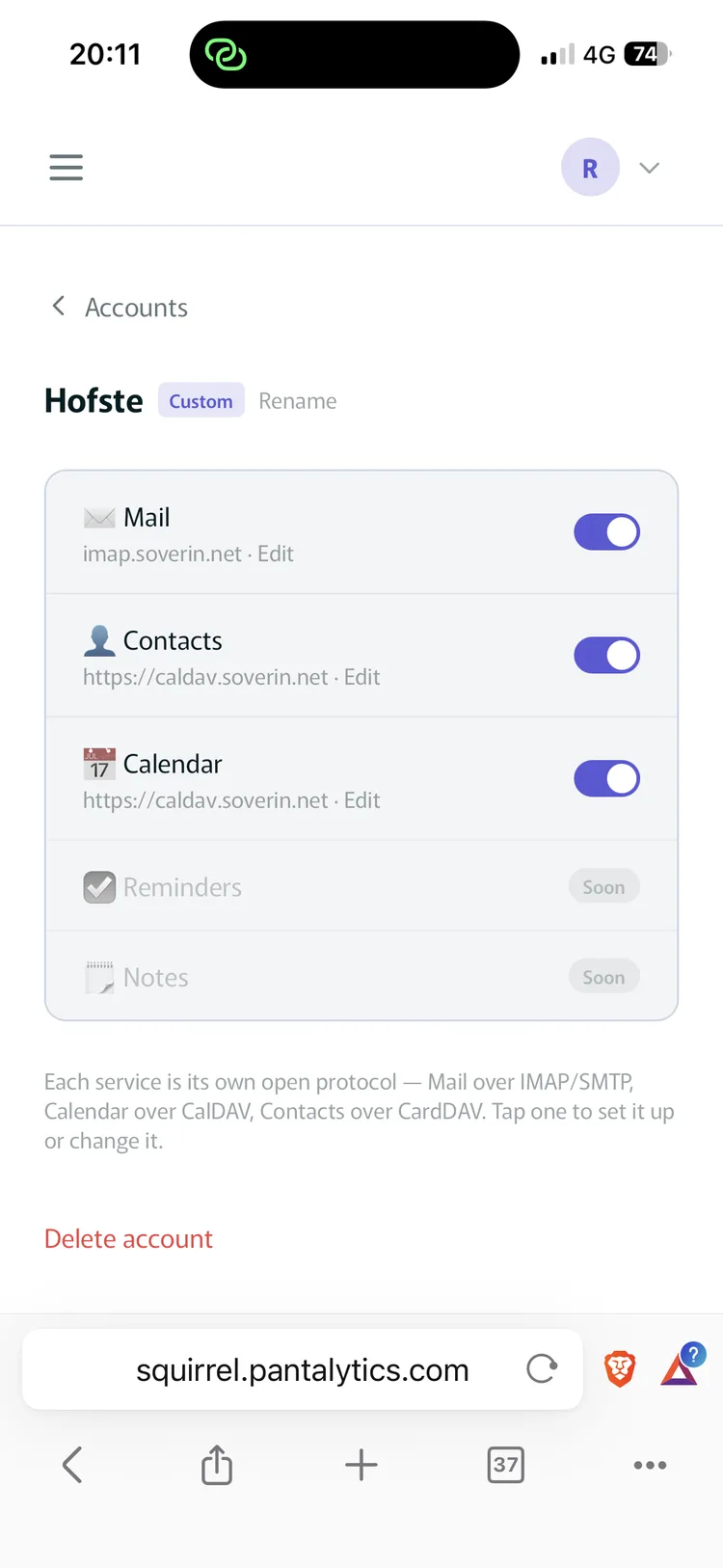
Toggle per service Mail over IMAP, contacts and calendar over CardDAV and CalDAV. Each service has its own switch. -
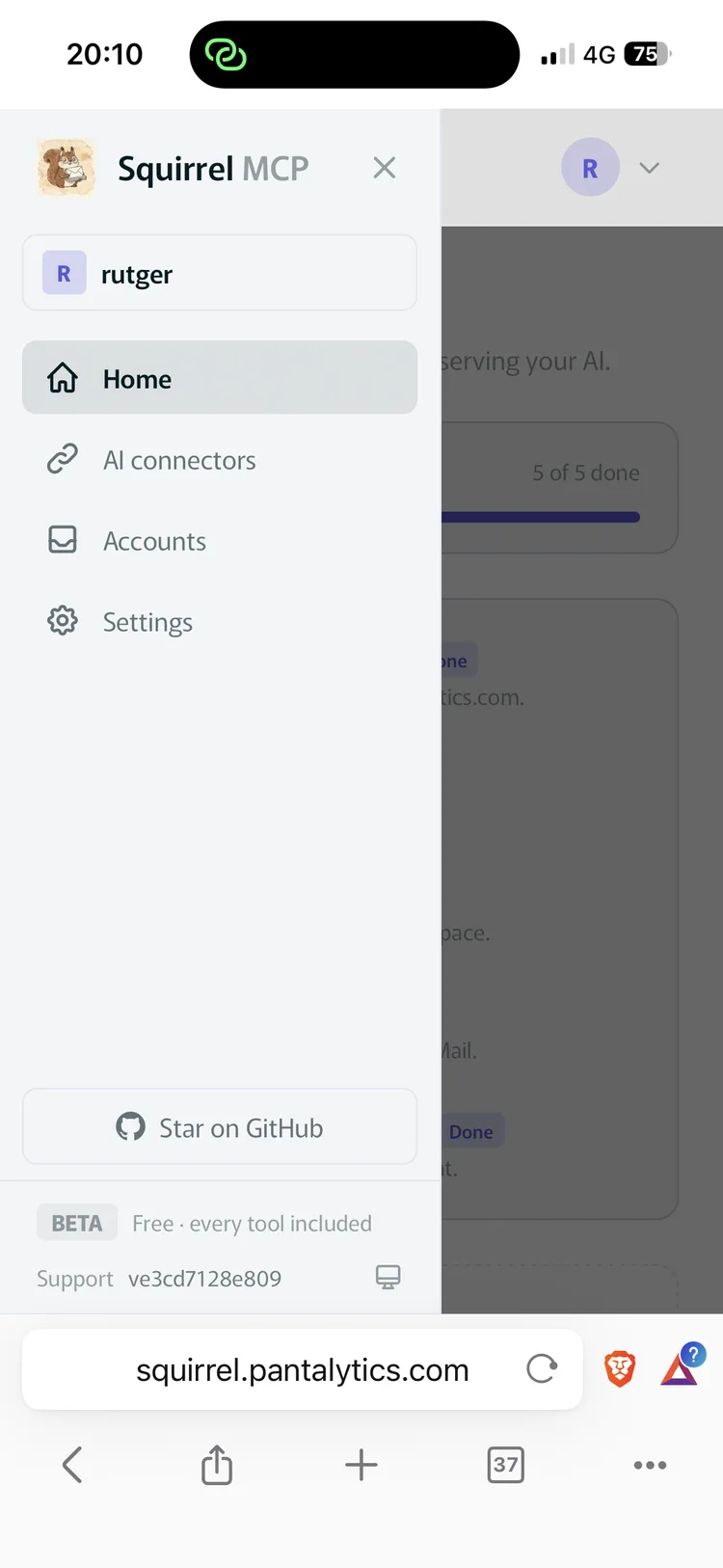
Everything in one place Accounts, AI connectors and settings. Open source, free during the beta. -
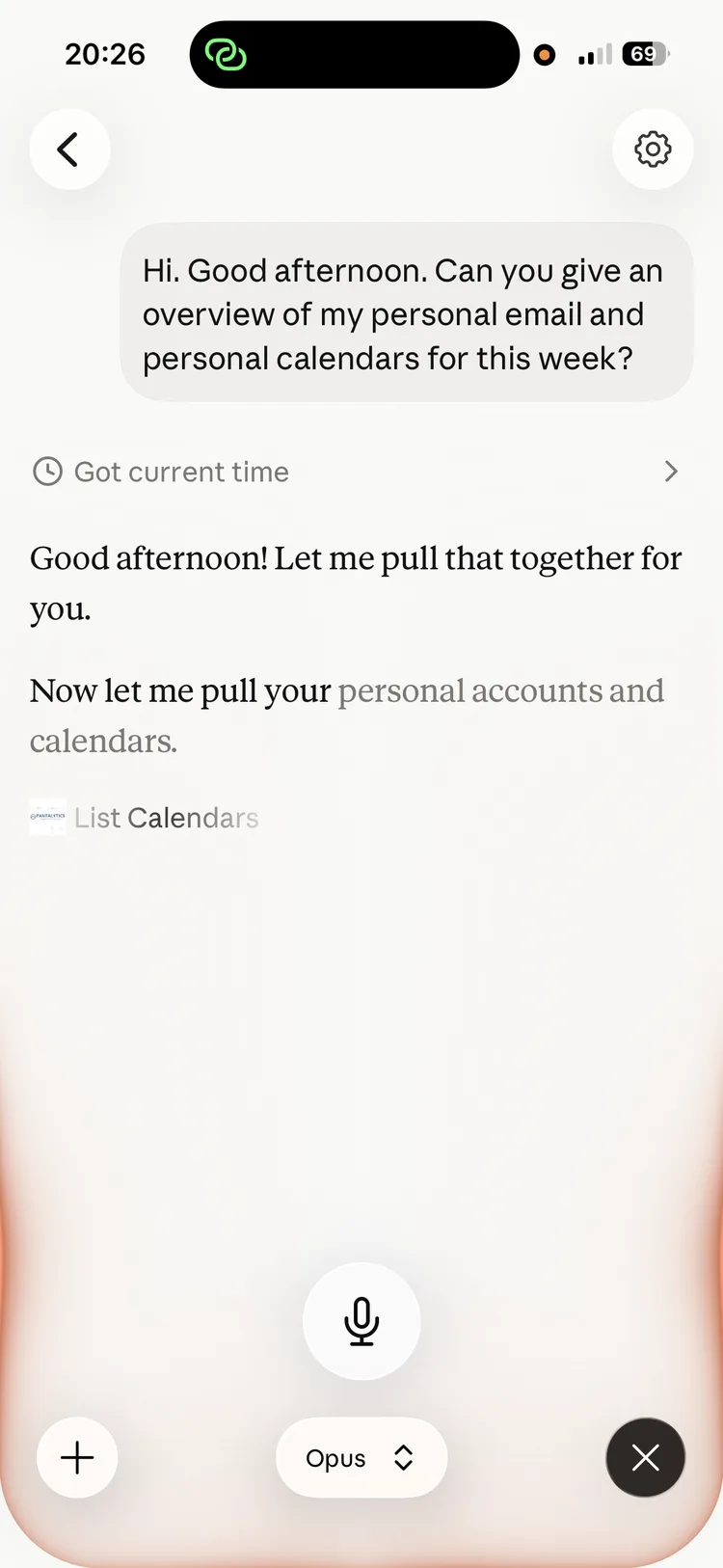
Ask from your own app Your week across mail and calendars, answered right in the Claude app. -
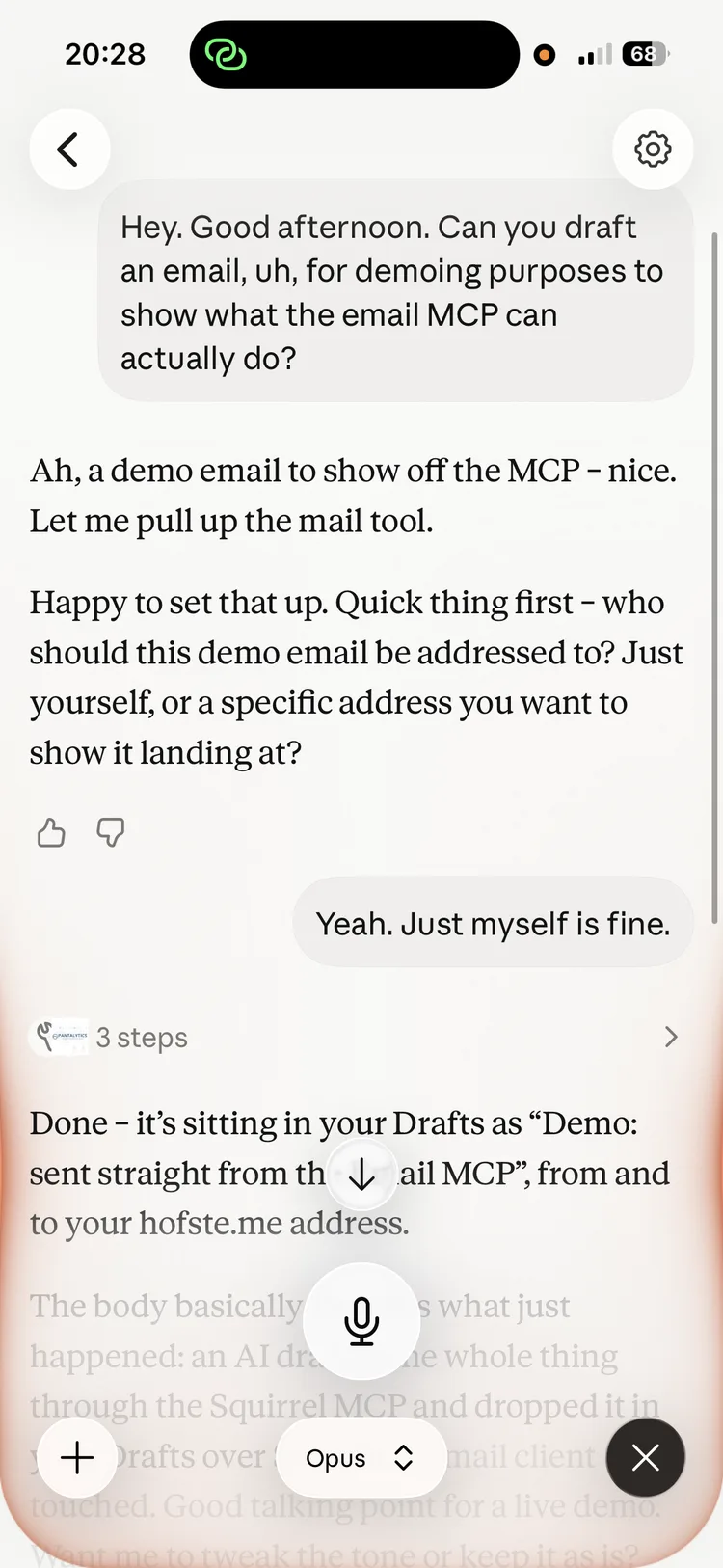
Real work, with control Claude drafts an email through Squirrel and parks it in your Drafts, nothing goes out without you.
Works with any MCP client





From the makers of the Odoo MCP connector, now serving thousands of users · Open source, Elastic License 2.0 · EU-hosted
Works with your own mail provider. Settings are ready to go for, among others:
- Soverin
- mailbox.org
- Fastmail
- Posteo
- Migadu
- iCloud Mail
- Zoho Mail
- Mailfence
- Infomaniak
- Kolab Now
- StartMail
- Disroot
- Runbox
- TransIP
- KPN
- Hetzner
- IONOS
- STRATO
- Gandi
- OVHcloud
- GMX
- Nextcloud
- mailcow / SOGo
Any server that speaks IMAP, CalDAV or CardDAV works, setup tests your connection right away. Built on Soverin and live-tested there on every release; not every provider has been tested as thoroughly yet. Proton and Tuta sadly can't join: they offer no open protocol.
Mail connectors are either crippled or nosy.
Read-only gets old fast
The Outlook connector can look at your mail but not touch it. No filing, no drafts, no calendar. Squirrel writes.
One account isn't your whole life
Most connectors bind to a single mailbox. Squirrel points at whatever server you hand it. Reaching all your accounts from one connector is what we're building next.
Your mail is nobody's training data
Run it yourself and your mail never leaves your machine; it opens a TLS connection straight to your provider. Our founder moved his contacts off Google and Outlook onto his own CardDAV server and nothing broke.
Three pillars, 21 tools
Ask in plain language. A tool family only appears once you've configured that pillar, so an AI with mail alone has no calendar to reach for.
Search a folder, read a message, page through a long one, grab an attachment, draft, send, and file things away.
Read the thread with Acme about the renewal and tell me where we landed.
Contacts
Search your address books, read a contact, and create, update or delete them.
Add everyone I mailed at Acme to my address book, with their job titles.
Calendar
Search events in a date window, read one, and create, update or delete them. All-day and timed both.
Where are two free hours this week for focused work?
Every write asks you first
Sending mail, moving mail and every contacts or calendar write refuse to run without your explicit confirmation. You see the recipients, subject and body before anything leaves.
How it fits together
Your AI speaks MCP. Your provider speaks IMAP, CardDAV and CalDAV. Squirrel translates, and nothing else gets a copy.
It logs in as you.
So it sees what you see, nothing more. No provider presets are baked in: you fill in your own host names, which is why the small European provider you chose on purpose works as well as the big ones.
The backends are swappable.
Tools talk to a provider protocol rather than one mailbox. Gmail and Outlook slot in behind that same protocol, so you can connect an old account while you move off it. The tools your AI already knows won't change.
Running in a few minutes
Hosted
- Log in. Free while we're in beta, no card.
- Add your mailbox: address, password, and your provider's IMAP and SMTP hosts. Stored encrypted.
- Paste one URL into your AI tool.
Or run it yourself
Python 3.10 and up, or Docker. Fill in one .env file, check the connection, register it with Claude.
git clone https://github.com/pantalytics/squirrel-mcp.git
uv venv --python 3.10 && uv pip install -e .
cp .env.example .env      # login + IMAP/SMTP hosts
python -m squirrel_mcp --check
claude mcp add squirrel -- python -m squirrel_mcp
Tech specs for IT and developers
Free while we're in beta
Hosted
€0 during the beta
- Every tool, no card
- We handle updates and EU infrastructure
- Mail is live. Contacts and calendar are next.
Self-hosted
€0 forever
- Unlimited, on your own machine
- All three pillars work today
- You do your own updates
Later on we'll meter actions per day rather than abstract calls: reading one mail or creating one event is one action. Free up to 50 a day, Pro up to 500, Max unlimited. Every tool is in every plan, and we'll calibrate the limits against real usage before we set prices. Self-hosting stays free and unlimited whatever we land on.
Questions people ask
Does my mail pass through Pantalytics?
If you run it yourself, no. Squirrel sits on your machine and talks straight to your provider, so there is nothing for us to log.
Hosted, the connection runs on our EU servers, because that is what hosting means. Your mailbox password is encrypted in our database, message content passes through memory to answer a request, and we don't store your mail. Details are in our privacy statement and DPA.
Which mail providers work?
Anything that speaks IMAP and SMTP, plus CardDAV and CalDAV if you want contacts and calendar. That covers most providers. Providers like Soverin and Mailbox.org have everything Squirrel needs; we built and tested against Soverin first.
You look up your provider's host names once and fill them in. Gmail and Outlook are coming too, mostly as a bridge: connect the old account while you move to a provider you picked yourself.
Which AI tools work with it?
Any MCP client. Claude Desktop and Claude Code over stdio, and anything that can reach a streamable HTTP endpoint. Same protocol as our Odoo MCP Pro, so if one works for you the other will.
Will it choke on a mailbox with a hundred thousand messages?
No. Searches come back a page at a time and long message bodies are fetched in slices. Nothing tries to load your archive into one prompt, which is where naive mail integrations fall over.
What happens when the beta ends?
We'll tell you before anything changes. There'll still be a free plan, up to 50 actions a day. If you'd rather not think about it, run it yourself: the open source package keeps working on your own machine no matter what we do with hosted pricing.
Point it at your own mailbox.
Free while we're in beta. Free forever if you run it yourself.