Odoo App Store
Outlook Pro
Microsoft 365 Email Integration for Odoo
Send emails from any mailbox. Sync everything. No workarounds. Outlook Pro seamlessly connects Microsoft 365 to Odoo, so your team sends from the right mailbox directly from CRM, Helpdesk or Chatter.
Features
What Outlook Pro does
Outgoing email
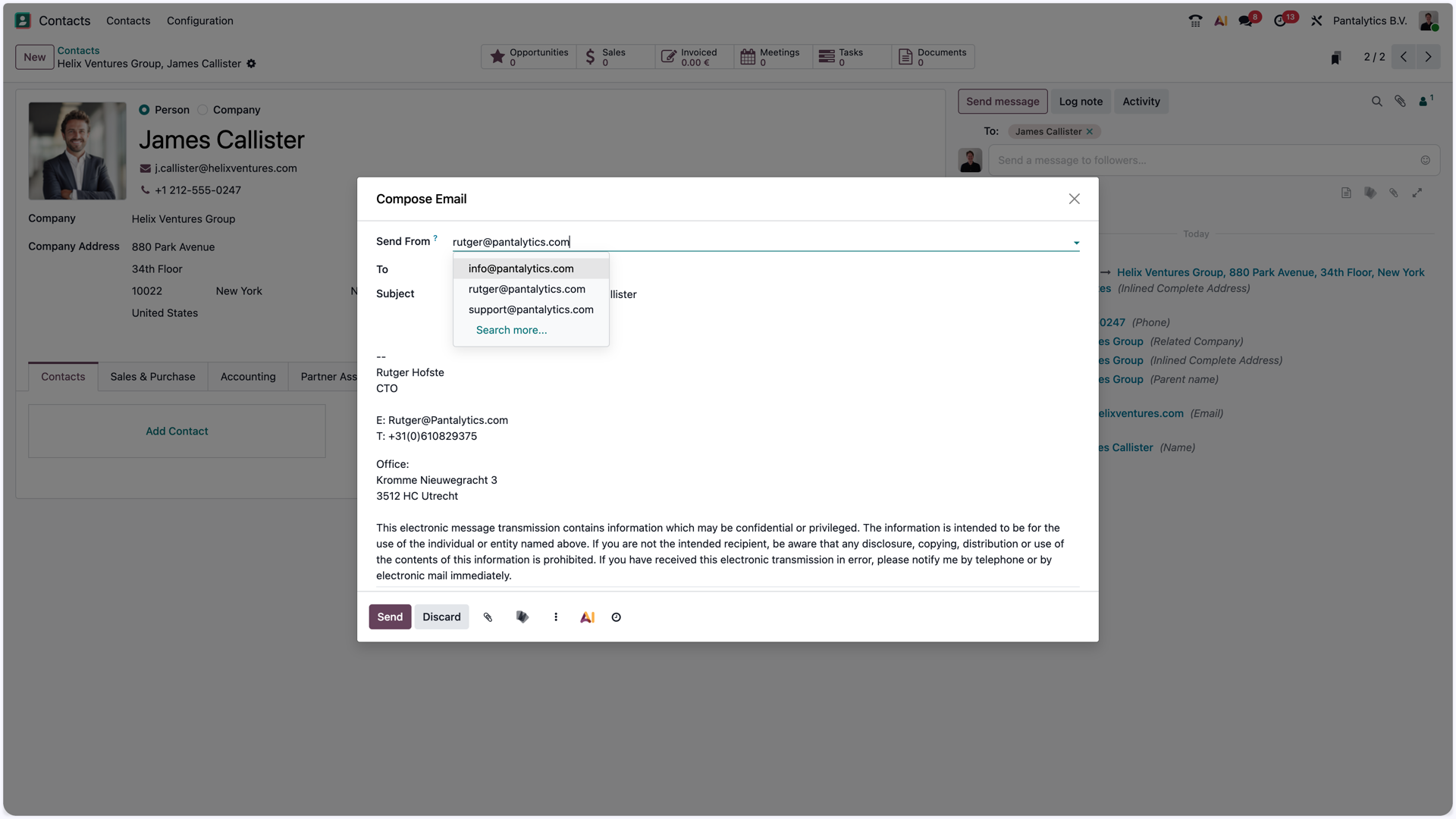
- Send from any connected mailbox via a dropdown selector
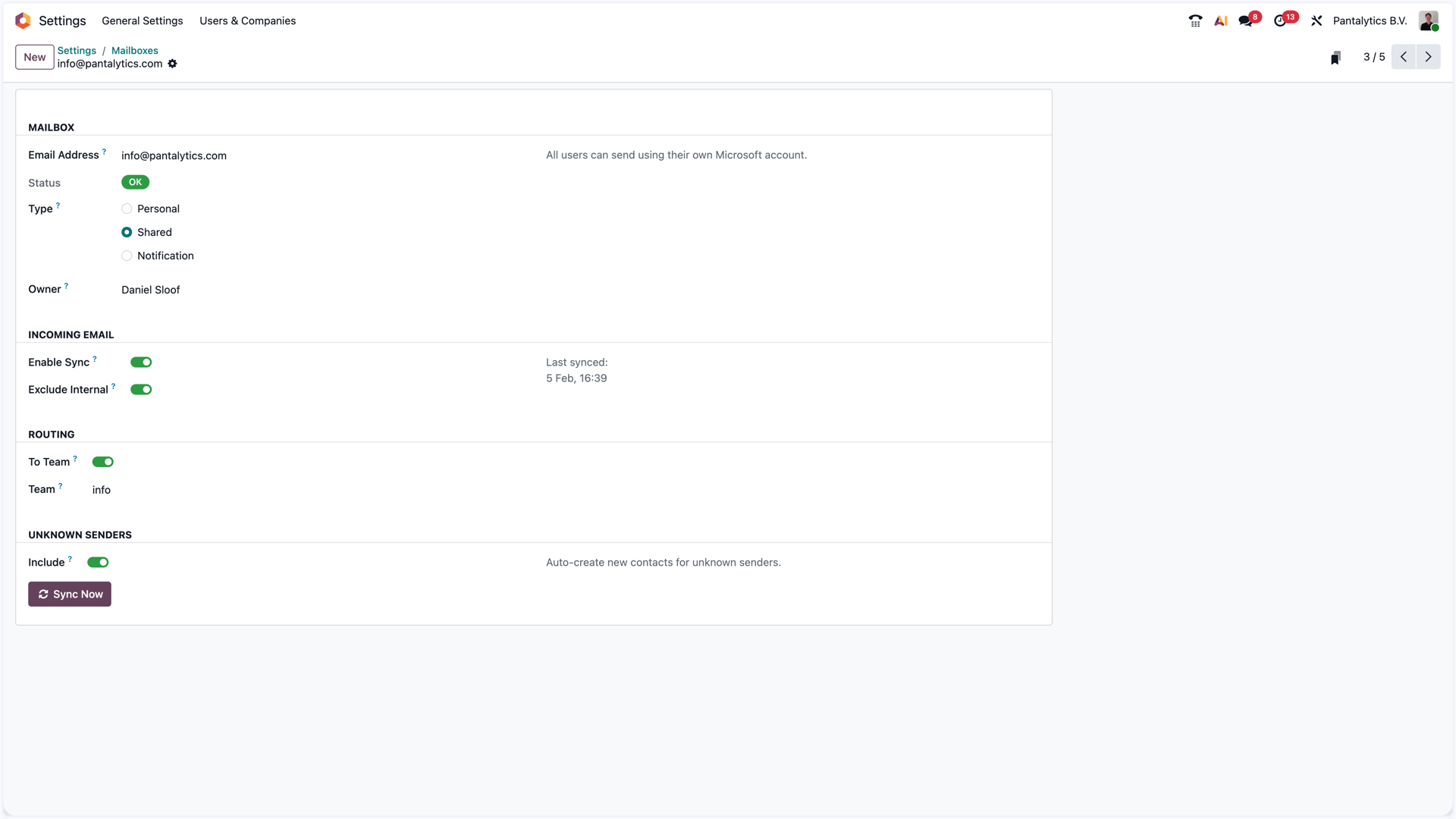
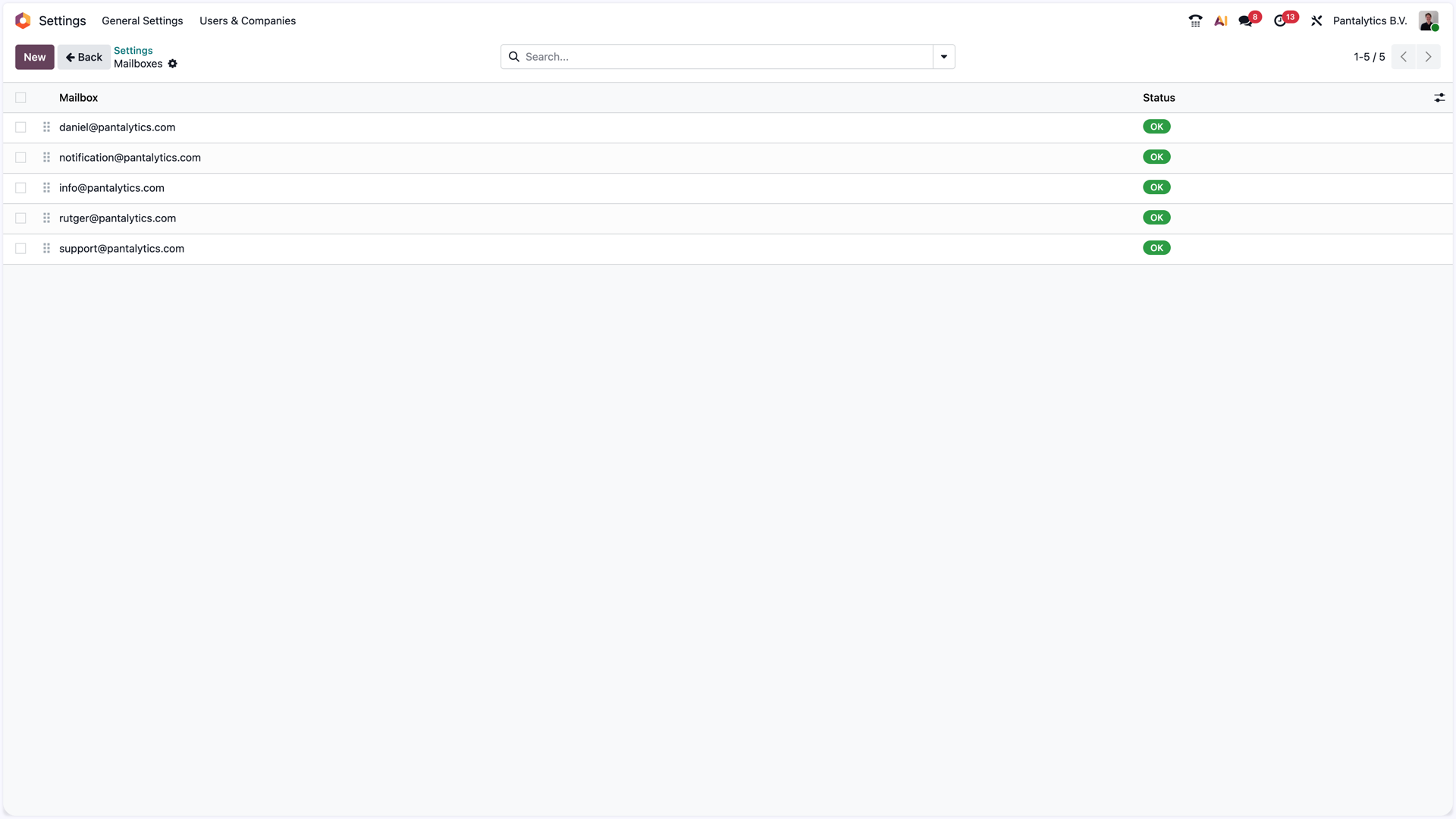
- Support for shared team mailboxes
- Correct email threading in Outlook, Gmail and other clients
- Works in Chatter, Composer, CRM and Helpdesk
Incoming synchronization
- 2-way sync between Inbox and Sent Items
- Automatic threading to the correct record
- Contacts automatically created for unknown senders
- Inbox sync runs every 15 minutes; outgoing email is real-time
Security
- OAuth 2.0 authentication, no stored passwords
- AES-128 encrypted tokens at rest
- Direct connection between Odoo and Microsoft
- No data via third parties
Installation
Ready in three steps
Register Azure App
Create an App Registration in Azure Active Directory with the correct redirect URI.
API Permissions
Assign the required Microsoft Graph API permissions for mail and calendar.
Configure in Odoo
Enter the Azure credentials, connect your mailboxes and you're ready.
Technical specifications
Try Outlook Pro
Available for Odoo 19 via the Odoo App Store. Need help with installation? Get in touch.
Frequently asked questions
What is Outlook Pro?
Outlook Pro is a Microsoft 365 email integration for Odoo. Your team can send emails from any connected mailbox directly from CRM, Helpdesk or Chatter, and your inbox and sent items sync two-way to the correct Odoo record.
Where can I get Outlook Pro?
On the Odoo App Store. Outlook Pro is built and maintained by Pantalytics.
Which Odoo versions and editions are supported?
Odoo 19, on Online, Odoo.sh and on-premise. Both Community and Enterprise.
How does authentication work?
OAuth 2.0 with Microsoft 365. No passwords are stored on the Odoo side.
Does it support shared mailboxes?
Yes. Users can send from any connected personal mailbox or from shared team mailboxes via a dropdown selector.
How often does email sync run?
Outgoing emails go out in real time. Inbox sync runs every 15 minutes via an automated Odoo cron job.